
-小狗饼干- / 洛12

460 字
2 分钟
在 VSCode 中使用 C# 刷 LeetCode
LeetCode 插件配置
- 选择默认语言:设置 > 扩展 > LeetCode > Default Language 选择
csharp - 重点:打开
settings.json添加配置
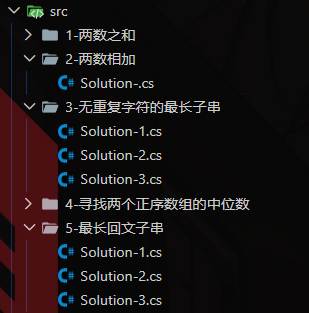
"leetcode.filePath": { "default": { "folder": "src/${id}-${PascalCaseName}", "filename": "Solution-.${ext}" }},配置完成后,点击题目介绍页面的 Code Now 就会按设置生成脚本。更方便的尝试与管理多种解题思路。
调试与构建配置
项目根目录新建 LeetCode.csproj :
<!-- LeetCode.csproj --><Project Sdk="Microsoft.NET.Sdk"> <PropertyGroup> <OutputType>Exe</OutputType> <TargetFramework>net8.0</TargetFramework> <ImplicitUsings>enable</ImplicitUsings> <Nullable>enable</Nullable> </PropertyGroup></Project>新建 .vscode/launch.json :
{ "version": "0.2.0", "configurations": [ { "name": ".NET Core Launch (console)", "type": "coreclr", "request": "launch", "preLaunchTask": "build", "program": "${workspaceFolder}/bin/Debug/net8.0/LeetCode.dll", "args": [], "cwd": "${workspaceFolder}", "console": "internalConsole", "stopAtEntry": false, "logging": { "moduleLoad": false } }, { "name": ".NET Core Attach", "type": "coreclr", "request": "attach" } ]}新建 .vscode/tasks.json :
{ "version": "2.0.0", "tasks": [ { "label": "build", "command": "dotnet", "type": "process", "args": [ "build", "${workspaceFolder}/LeetCode.csproj", "-p:StartupObject=LeetCode.P${input:problem}.S${input:solution}.Program", "/property:GenerateFullPaths=true", "/consoleloggerparameters:NoSummary;ForceNoAlign" ], "problemMatcher": "$msCompile" } ], "inputs": [ { "id": "problem", "description": "Please enter the problem ID.", "default": "", "type": "promptString" }, { "id": "solution", "description": "Please enter the solution number.", "default": "1", "type": "promptString" } ]}调试前的脚本准备
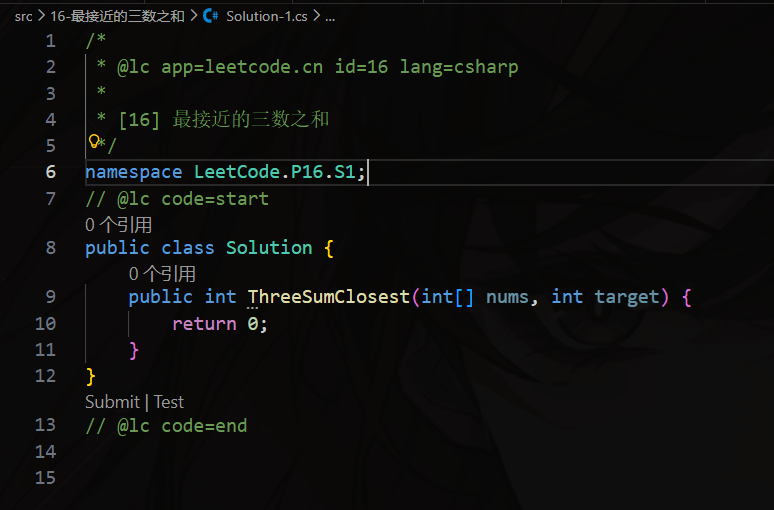
命名空间
为需要本地测试的解题脚本分配一个唯一的命名空间。
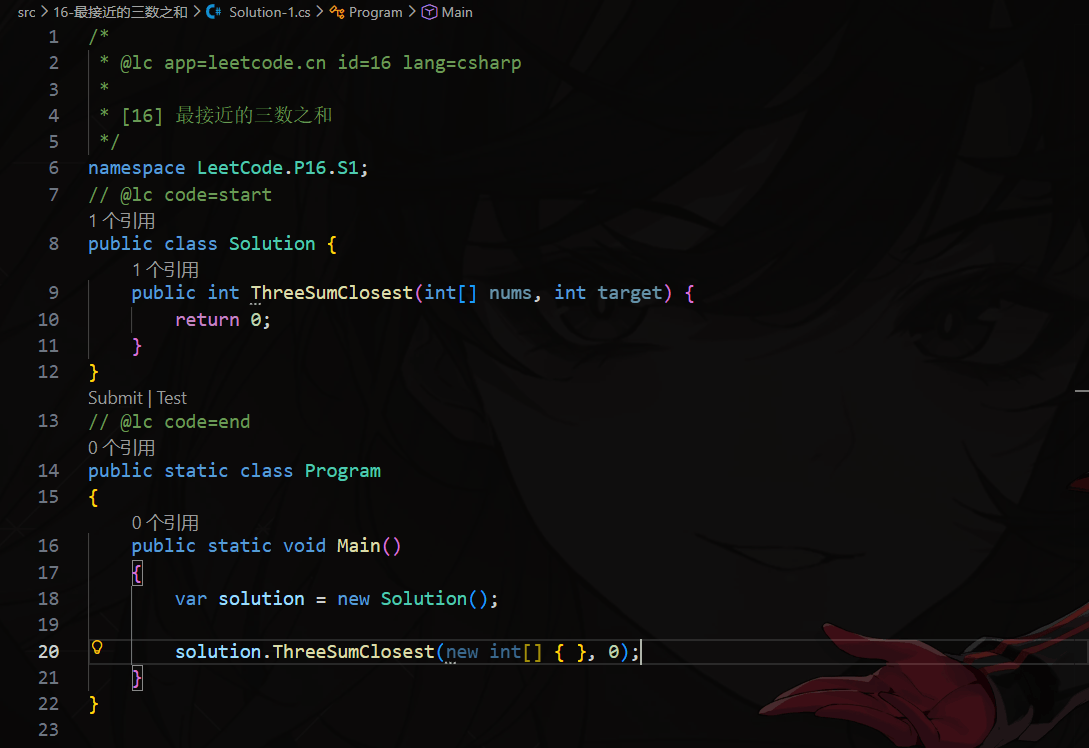
程序入口
一个题解对应一个程序入口。
调试
按下 F5 开始调试,顶部会弹出提示框,填入要调试的题号与题解号。结果输出在底部的调试控制台。
使用代码片段快捷补全
新建 .vscode/csharp.code-snippets 复制粘贴下面内容:
{ "SolutionNamespace": { "scope": "csharp", "prefix": "ns", "body": [ "namespace LeetCode.P$1.S$2;" ], "description": "Solution Namespace" }, "TestProgram": { "scope": "csharp", "prefix": "tp", "body": [ "public static class Program", "{", " public static void Main()", " {", " var solution = new Solution();", " ", " solution$1", " }", "}" ], "description": "Test Program" }, "DisableWarning": { "scope": "csharp", "prefix": "dw", "body": [ "#pragma warning disable" ], "description": "Disable Warning" }}之后输入对应的代码再补全即可快捷填充代码片段。
ns可以补全命名空间tp可以补全程序入口dw的补全可以忽略当前文件的内的Warring提示
在 VSCode 中使用 C# 刷 LeetCode
https://blog.unknowncat2048.top/posts/dev-tool/vscode-leetcode-csharp/